SCADA Multi-Protocol Simulator

VestaTel SCADA Multi-Protocol Simulator runs on Windows and implements master / slave, client / server role of SCADA protocols: IEC 60870-5-104, IEC 60870-5-101, IEC 61850, DNP3, MODBUS and HART

Features    |    User Manual   |    Download   |    Purchase
 
DOWNLOAD
Features of VestaTel SCADA Multi-Protocol Simulator:

IEC 104 Protocol, IEC 101 Protocol
  • IEC 60870-5-104 Master / IEC 60870-5-104 Slave
  • IEC 60870-5-101 Master / IEC 60870-5-101 Slave
  • IEC 104 Link Layer runs over TCPIP
  • IEC 101 over RS232 Serial and over TCPIP
  • IEC 101 Balanced / Unbalanced Link Mode
  • Station Initialization, Clock Synchronization
  • Data Acquisition, Events Acquisition
  • Cyclic / Background / Spontaneous Transmission
  • General Interrogation, Command Transmission
  • Time Tagged and Time Untagged Commands
  • IEC 61850/MMS Protocol
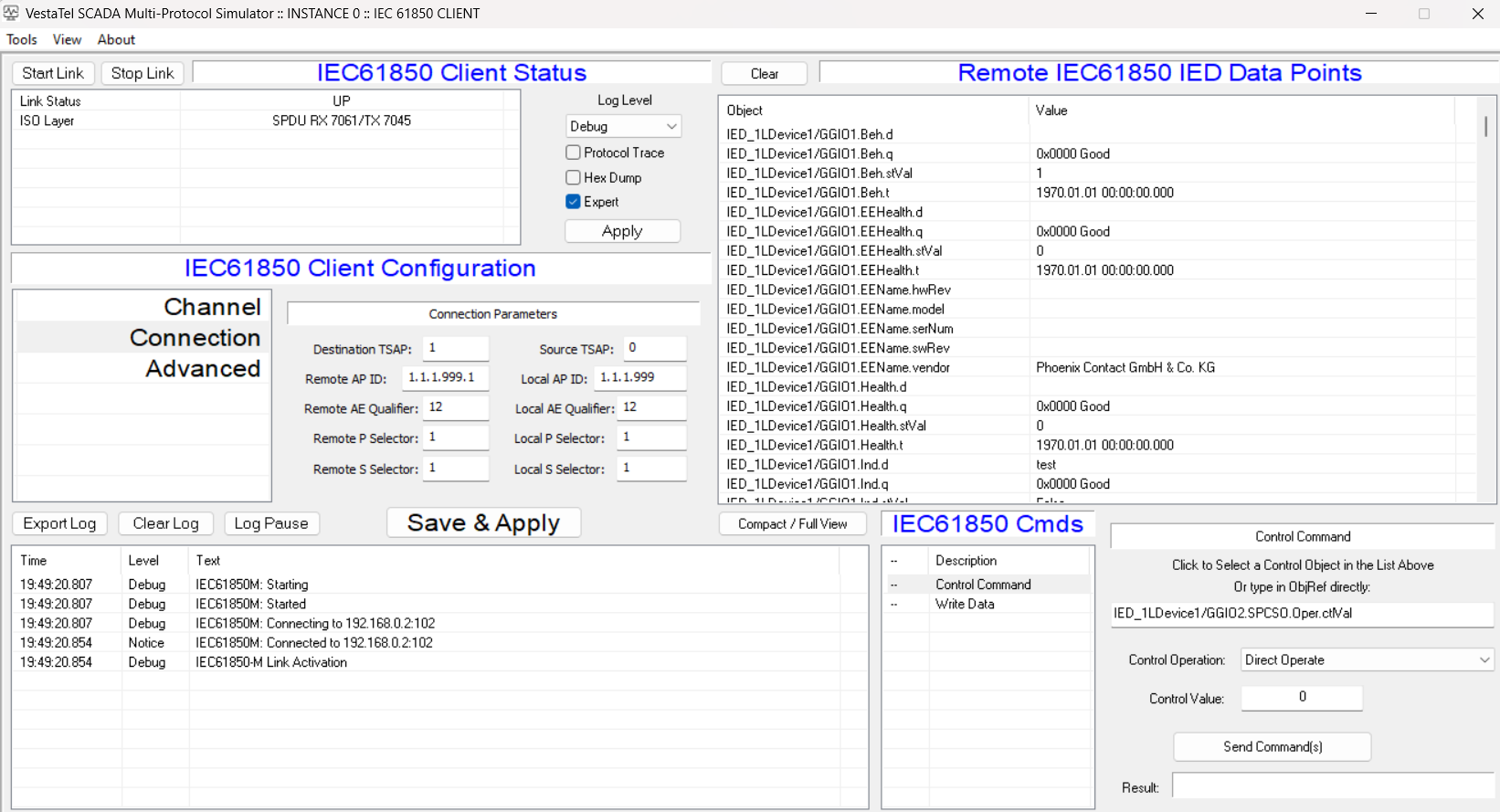
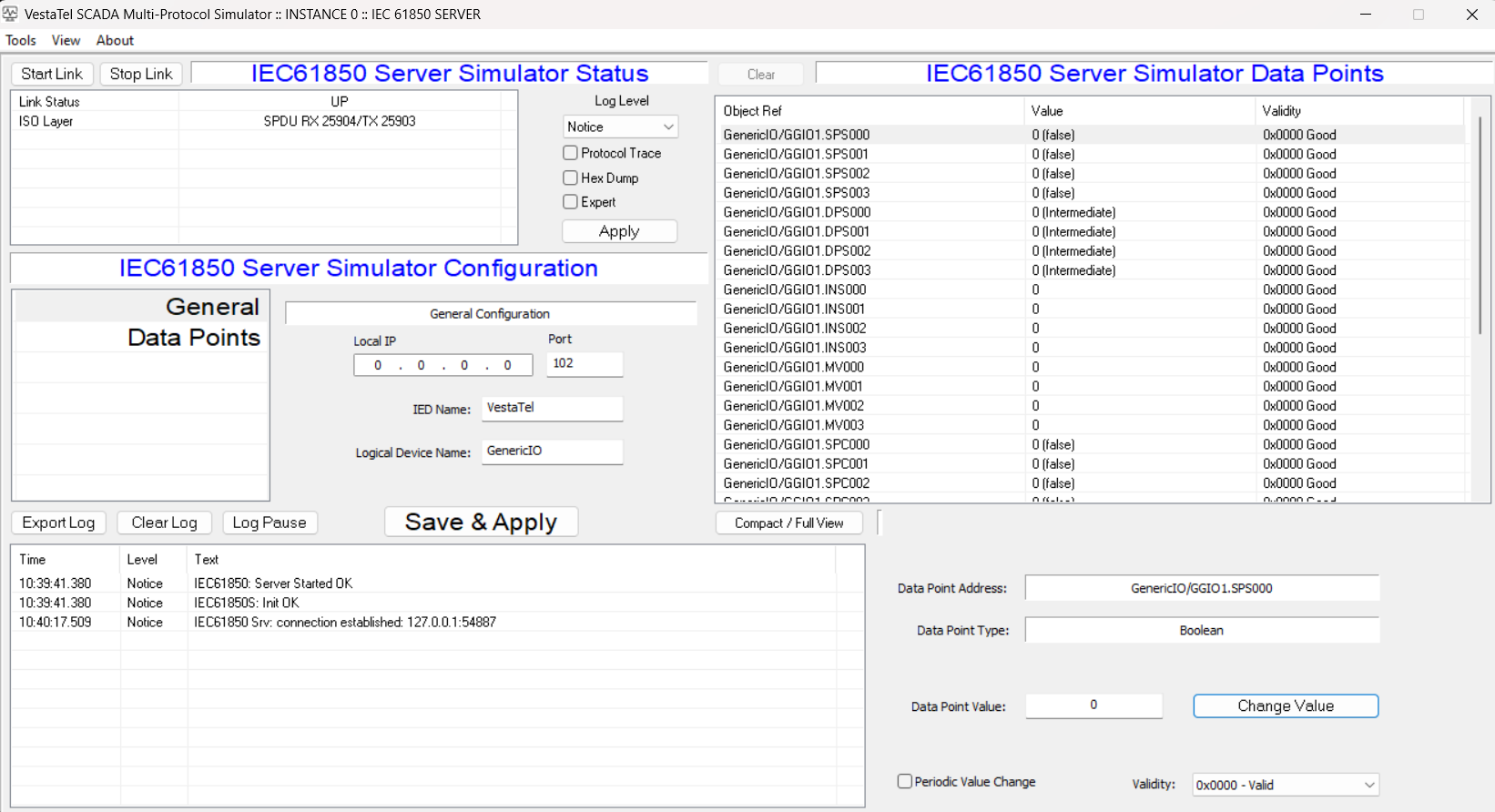
  • IEC 61850 IED Client / IEC 61850 Server
  • Runs over TCPIP
  • Supports edition 2 of the IEC 61850 standard
  • Data model discovery, data object polling
  • Control commands: Direct Operate, Select-Operate
  • Suports all major MMS data types, bool, integer, float, string, etc
  • Supports parsing and displaying Timestamps, quality
  • DNP3 Protocol
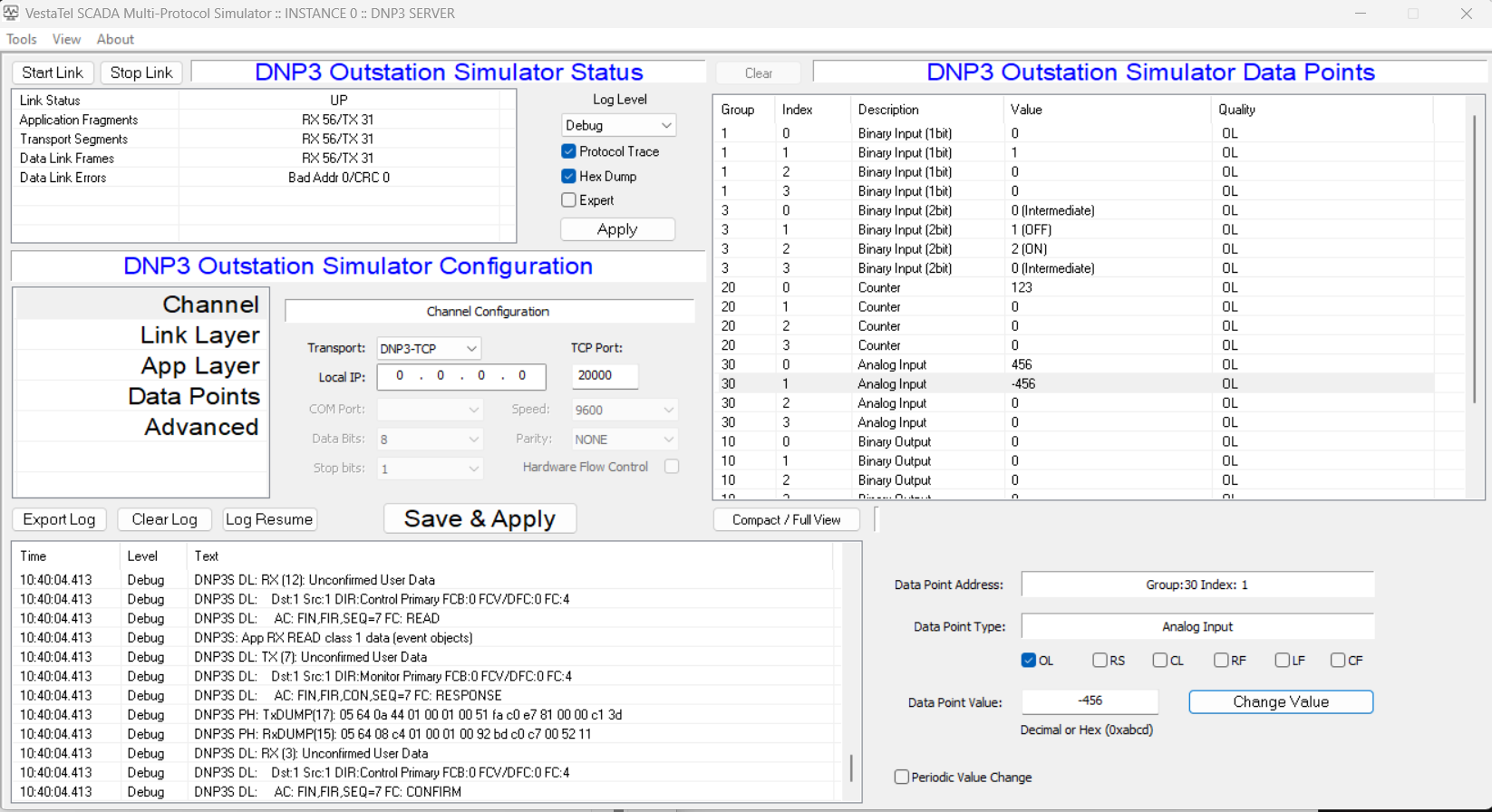
  • DNP3 Master / DNP3 Slave
  • Runs over RS232 Serial and over TCPIP
  • Solicited (Polled) and Unsolicited Mode
  • Initial and Periodic Time Synchronization
  • Periodic and demand Integrity Poll, Event Poll
  • Binary Output Command, Analog Output Command
  • MODBUS Protocol
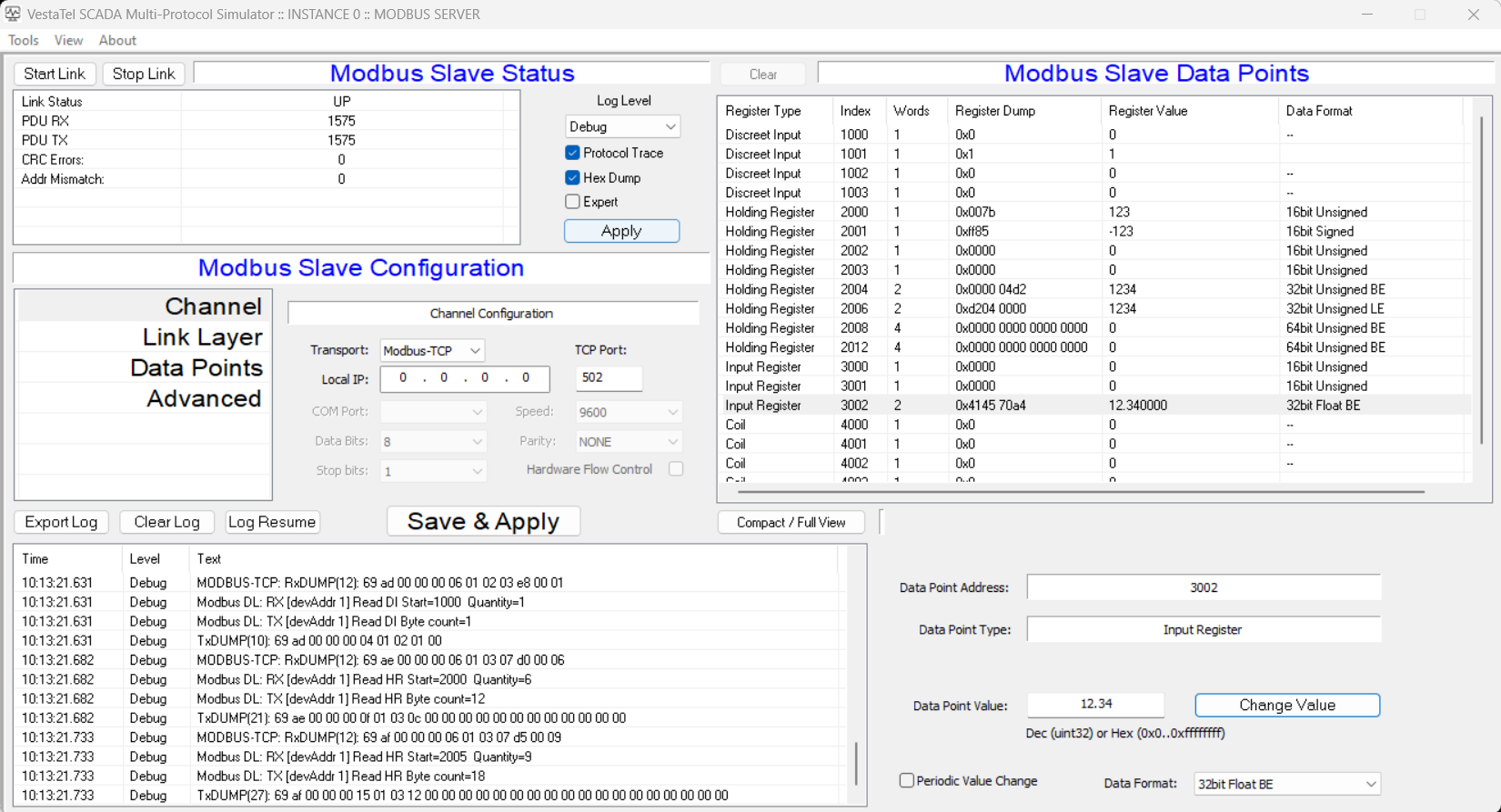
  • MODBUS Master / MODBUS Slave
  • MODBUS RTU over RS232 Serial
  • MODBUS TCP mode over TCPIP
  • Discreet Input Register, Coil Registers
  • Holding Registers, Input Registers
  • Write Single Coil, Write Multiple Coils
  • Write Single Register, Write Multiple Registers
  • HART Protocol

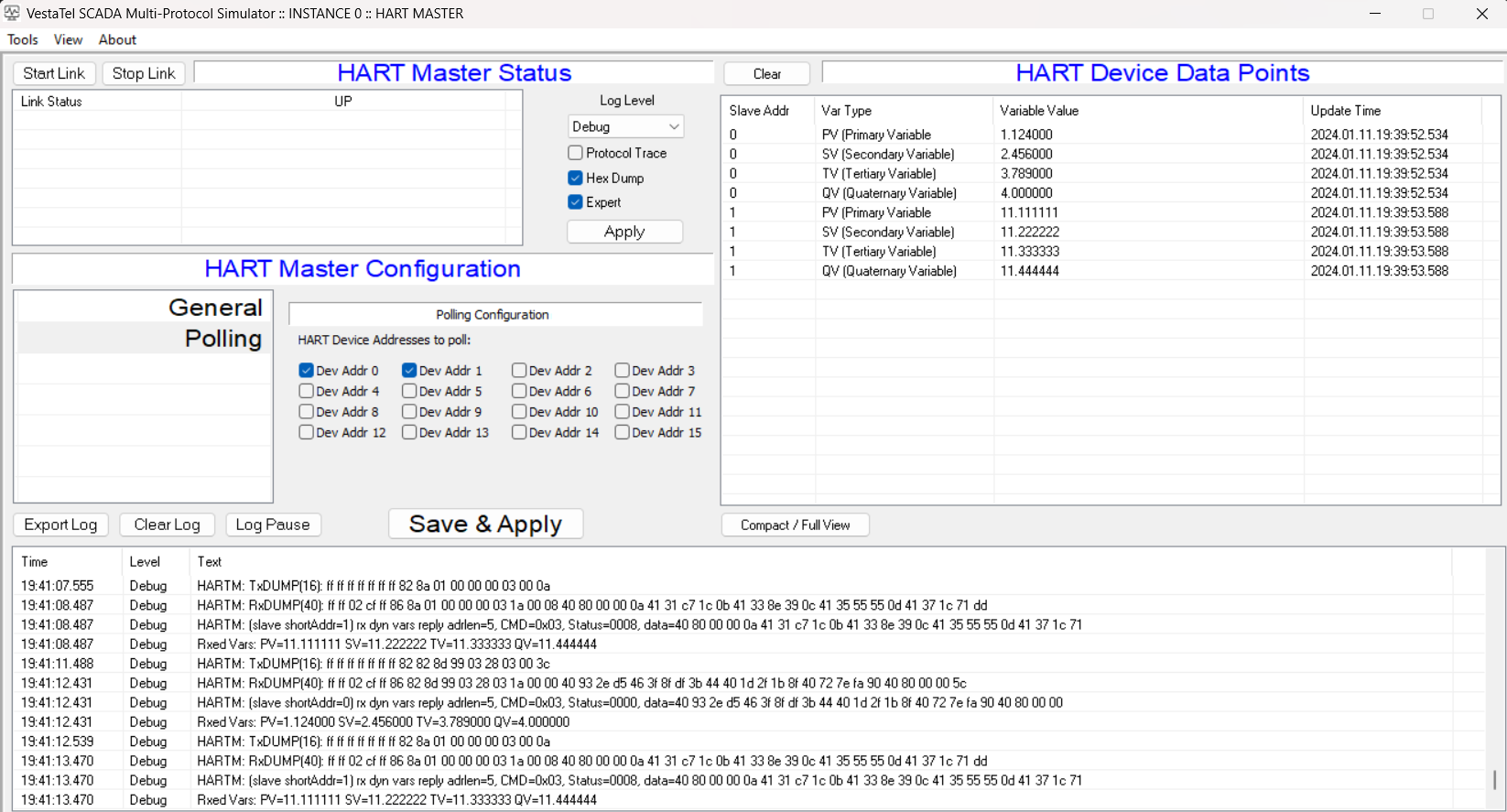
    HART Communication Protocol (Highway Addressable Remote Transducer) master side only is supported in the current version of software. The simulator implements the physical layer over RS232 serial port, data link Layer and application layer. All device dynamic variables (PV, SV, TV and QV) are polled periodically and their value is displayed in the points view. The implementation is done according to standards HCF_SPEC-127, Revision 7.1, (HART Communication Protocol, Universal Command Specification), HCF_SPEC-99, Revision 9.0 (HART Communication Protocol, Command Summary Specification)

    User Manual   |    Download   |    Purchase
     
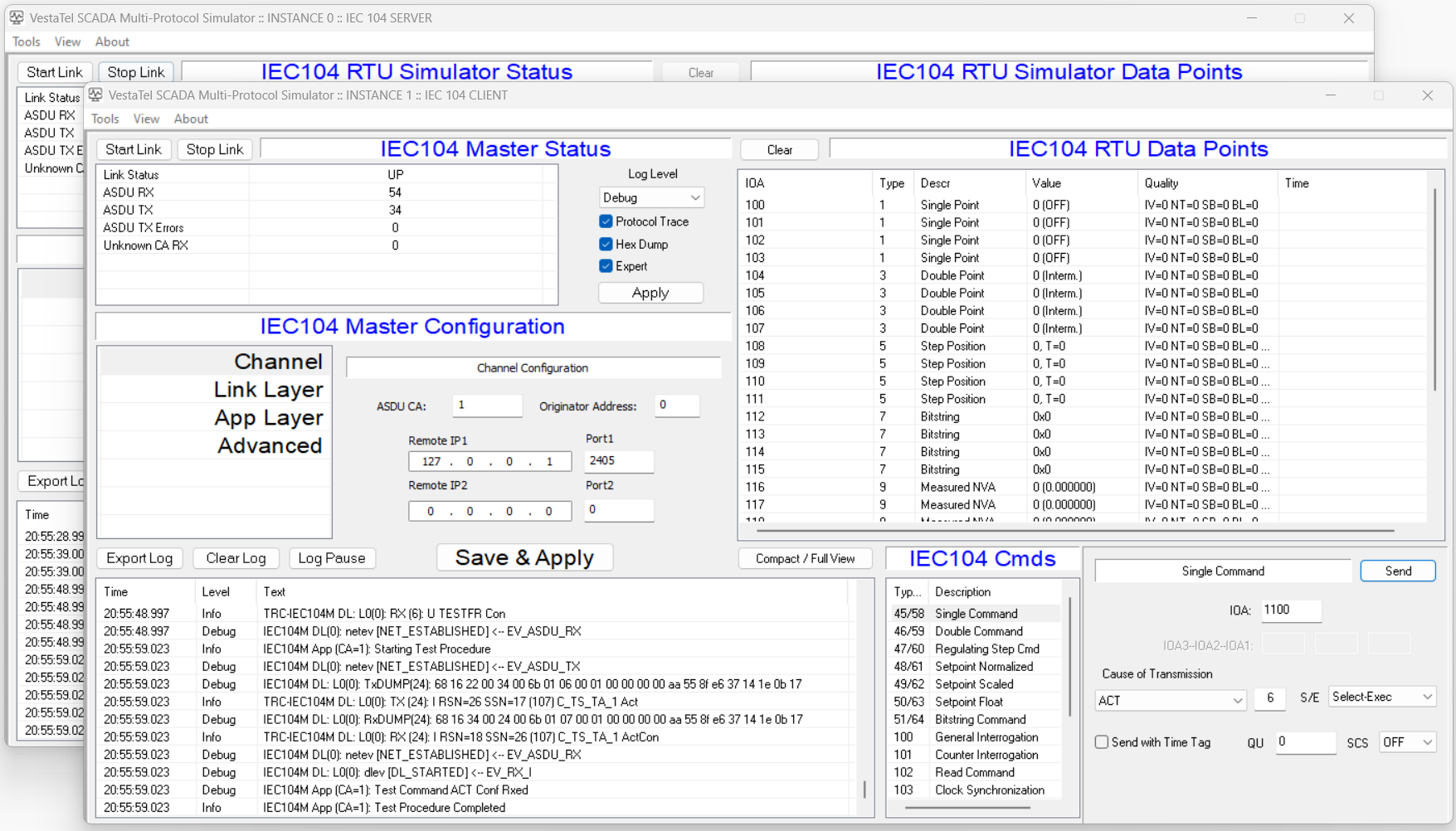
    IEC 60870-5-104 Server View
    DOWNLOAD
    IEC 61850 / MMS Client View
    DOWNLOAD
    IEC 61850 / MMS Server View
    DOWNLOAD
    MODBUS Server View
    DOWNLOAD
    MODBUS Client View
    DOWNLOAD
    DNP3 Server View
    DOWNLOAD
    DNP3 Client View
    DOWNLOAD
    HART Protocol Master Simulator View
    DOWNLOAD

    Download SCADA Multi-Protocol Simulator

    SCADA Multi-Protocol Simulator
    Download Evaluation Version


    Please provide contact details for us and click
    "Continue to DOWNLOAD"


    Your name: (*)

    Your Email: (*)

    Company:

    Tel:


    Please REMOVE text "bot":


    Evaluation Mode and Full Mode:

    If you have not yet purchased the software, the SCADA Multi-Protocol simulator runs in evaluation mode, in which it will run for 10 minutes before closing current session.

    You can set the license key and switch into full mode at any time via the Windows GUI


    Rs232IP v2.0.4

    RS232 Serial to TCP / UDP convertor

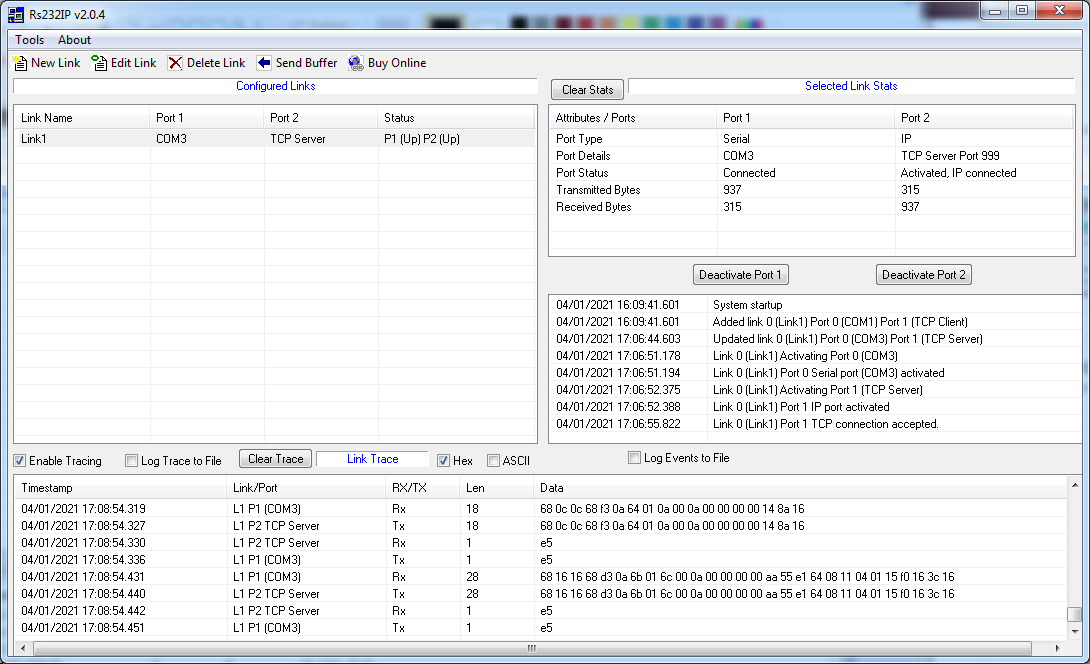
    Rs232IP is a communication software for Windows which allows forwarding / bridging data between serial ports (RS232) represented as COM ports and TCP/IP connections or UDP/IP links. In the simplest scenario it is an COM port to TCP/IP converter, but it can bridge data between any combination of COM and UDP or TCP ports, with TCP ports in either client or server modes.
    Overview    |    Features    |    User Manual   |    Download   |    Purchase
     
    Overview    |    Features    |    User Manual   |    Download   |    Purchase
     

    Rs232IP Software Features

    Main Functions:

    • Any COM port to any other COM port (total 32 COM ports are currently supported)
    • COM port to TCP/IP (TCP client mode)
    • COM port to TCP/IP (TCP server mode)
    • COM port to UDP
    • TCP/IP client to UDP
    • Runs hidden with an icon in Windows system tray
    • TCP/IP server to UDP
    • TCP/IP server to TCP/IP client
    • UDP to UDP
    • Up to 32 links each interconnecting 2 ports in any combination shown above are able to operate concurrently
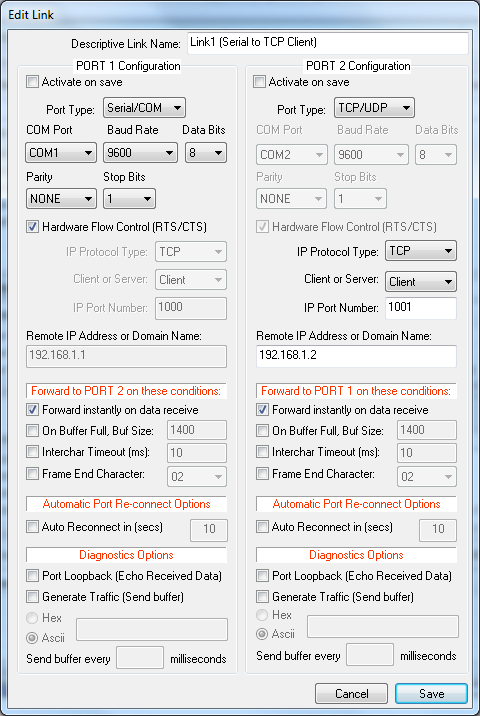
    • Automatic port re-connect of disconnected or failed ports
    • Optionally auto starts with Windows

    Data Forwarding (packetization) Options:

    • Forward instantly on data receive
    • Forward on buffer full
    • Forward on inter-character timeout
    • Forward on frame end character

    Debugging and Statistics:

    • Port status display
    • Port receive and transmit byte counters
    • Event log displayed on screen and saved to disk file
    • Data traffic trace in ASCII or HEX format displayed and saved to disk file
    • Data traffic echo function (port loopback)
    • Data traffic generation function (a specified buffer is sent periodically on a timer)
    • Send specified single buffer function

    Limitations of Evaluation Version:

    • Reminder screen on startup
    • Reminder screen every 30 minutes
    • Reminder screen requires user input to continue
    • Evaluation is time limited to 5 days

    Application Examples:

    Use Rs232IP to connect data collection devices such as modems, sensors, bar code scanners, meters, wireless devices, PBXes, SCADA RTUs and masters and concentrators, any serial instruments to the serial ports of the PC and access that data from anywhere over an IP based network
    Overview    |    Features    |    User Manual   |    Download   |    Purchase
     

    Customers Say...

    I use the software to forward data or relaying data for various realtime application. AIS (Automatic Identification System) , ADSB (Automatic Dependent Surveillance-Broadcast), etc. Your software is very good and stable -engineer, Cenfac Norway.

    Rs232IP - Download Evaluation Version


    Please provide contact details for us and click
    "Continue to DOWNLOAD"


    Your name:

    Your Email:

    Company:

    Tel:


    Please REMOVE text "bot":


    Rs232IP Customers

         Greenspan Technology (Tyco) (Australia)
         Omni Ray (Switzerland)
         Meteksan Savunma A.S (Turkey)
         Ocean Floor Geophysics (Canada)
         Quantific LDA (Portugal)
         Nautilus Minerals (Australia)
         Nuvoa Radio SPA (Italy)
         Cenfac Norway (Norway)
         Forsvaret (Norway)
         Bauer Radio (United Kingdom)
         Kongsberg Norcontrol It AS (Norway)
         Manz Automation (Germany)
         Delta Timing Group (USA)
         Queen Anne's County (USA)
         Safe Environment Engineering (USA)
         Telvent Canada (Canada)
         Devoteam Danet GmbH (Germany)
         Leineweber GmbH, Germany
         McCormick (United Kingdom)
         Siemens AG, Germany
         Unicorn Poznan Sp. z o.o. (Poland)